
A step-by-step guide for Early Access firms: from a blank Mac to your first researched answer, reviewed contract stack, and drafted agreement.
Welcome to the Early Access Program. This post walks you through everything from installing Legal Intelligence to doing real work with it. It is written for the lawyer who will actually use the product day to day, not for an IT department. If you have half an hour and a coffee, you can be running your first legal research query by the end of it.
Along the way we show real screenshots of the application, so even colleagues who have not installed anything yet can see exactly how it looks and works. And when you are ready to try it yourself, a test kit at the end of the post has fictional test documents and ready-to-copy prompts.
What Legal Intelligence is
Legal Intelligence is an AI assistant for Swiss law firms that runs entirely inside your own office. It ingests your documents and answers questions about Swiss law with verifiable citations, drafts contracts, and reviews stacks of agreements at once. The important part: no data ever leaves your premises. The language model, the search, the legal corpus, and your client files all live on one machine in your office. Nothing is sent to a cloud provider, which is what makes it a fit for the confidentiality duties every Swiss lawyer already carries.
The shape of it: one server, every browser
Legal Intelligence is a client-server application, and understanding that makes everything else easy.
You install it once, on a single Apple Silicon Mac that sits in your office (a Mac mini is the typical choice, provisioned with enough unified memory to run the AI locally). That Mac is the server. It holds the AI models, the Swiss legal database, and all your firm's data.
Everyone else just opens a web browser. Each lawyer and assistant works from their own device, at their own desk, by visiting the address of the office Mac on the local network. There is nothing to install on those machines, and nothing to keep updated.
This is what makes Legal Intelligence a natural fit for a Windows-centric firm. The one Mac is an appliance in the server cupboard; your lawyers keep their Windows laptops, their existing setup, their habits. They simply open Chrome or Edge and log in. The AI runs on the Mac, the data stays on the Mac, and the Windows machines never touch anything sensitive: they are just windows onto the workspace.
In one line: the Mac is the brain and the vault; the browsers are the screens.
1. Installation
Installation happens once, on the office Mac. You download the Granid installer and run it. It first checks that the machine is ready (a recent macOS, Apple Silicon, enough memory, and enough free disk for the models and the legal database), then downloads the application and prepares everything. Every step reports as it goes, so you can watch it work.
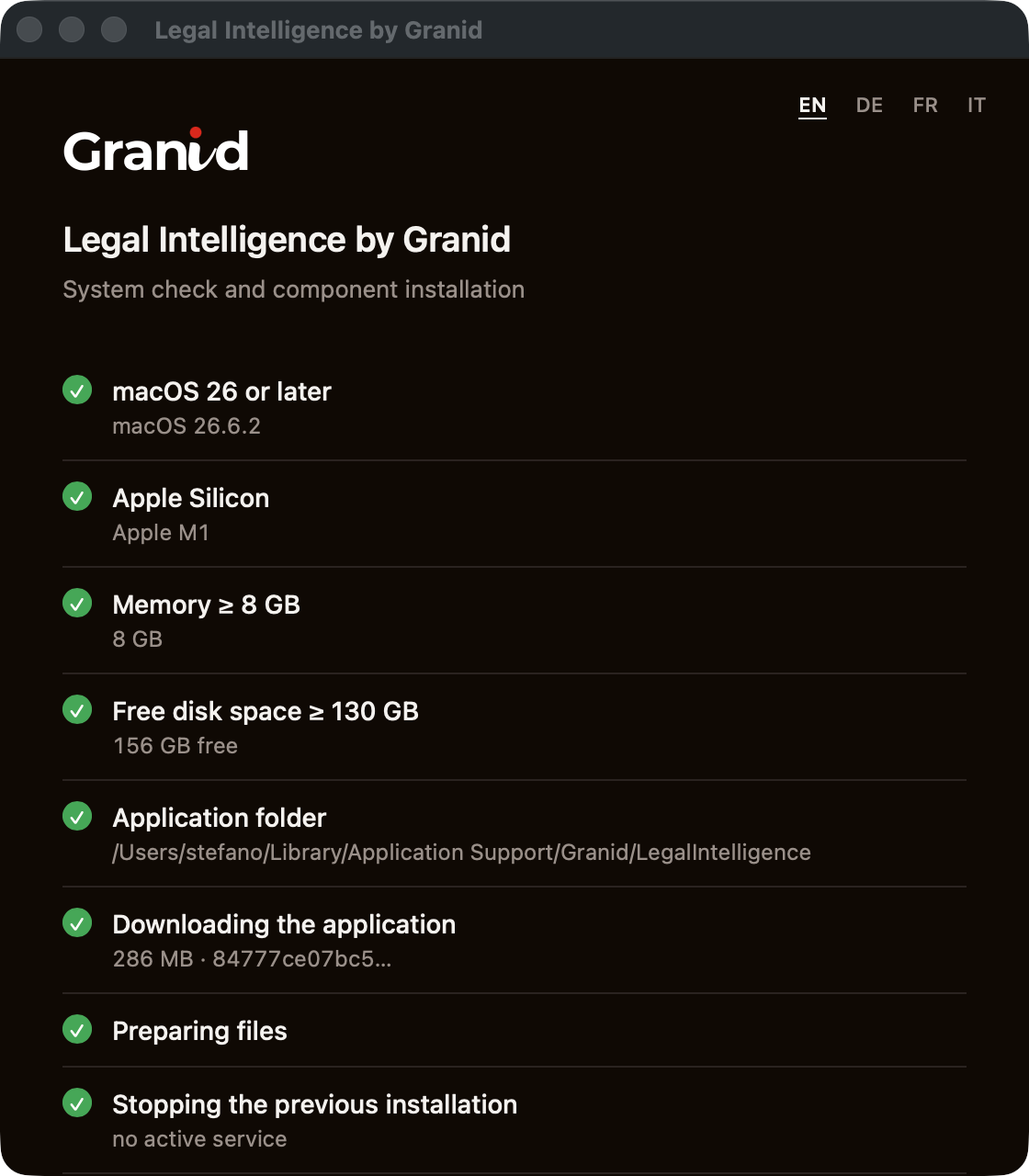
When it finishes, the application is running as a background service on the Mac, and you simply open its address in a browser. That is the last time anyone needs to touch the Mac directly.
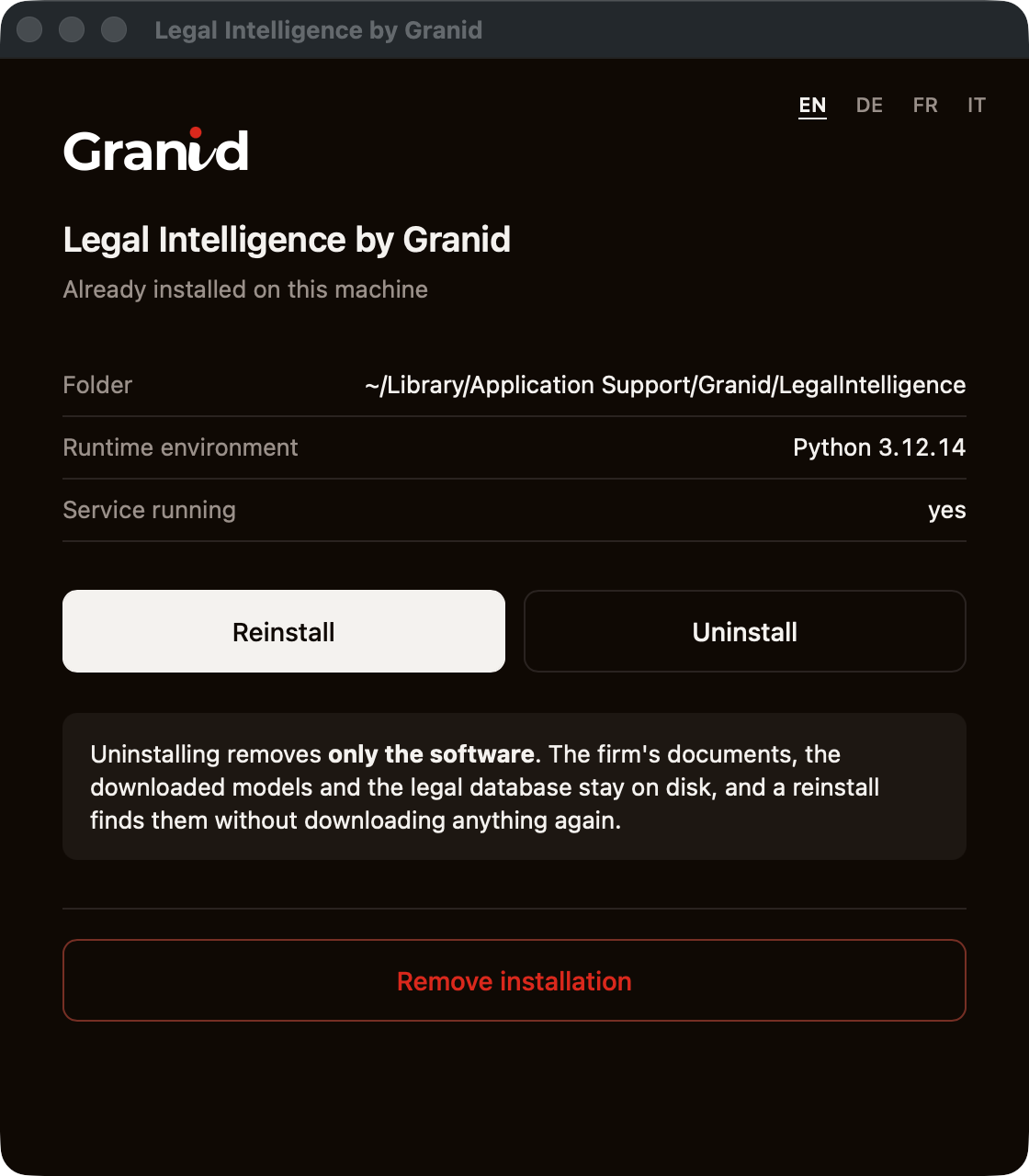
Later on, if you ever run the installer again, it recognises the existing installation and offers to reinstall (to update) or uninstall. The reassuring part is spelled out on screen: uninstalling removes only the software. Your firm's documents, the downloaded models, and the legal database all stay on disk, so a reinstall finds them again without downloading everything from scratch.
2. First-run setup
The very first time you open Legal Intelligence in a browser, a short setup wizard runs. It has a handful of steps and takes a few minutes.
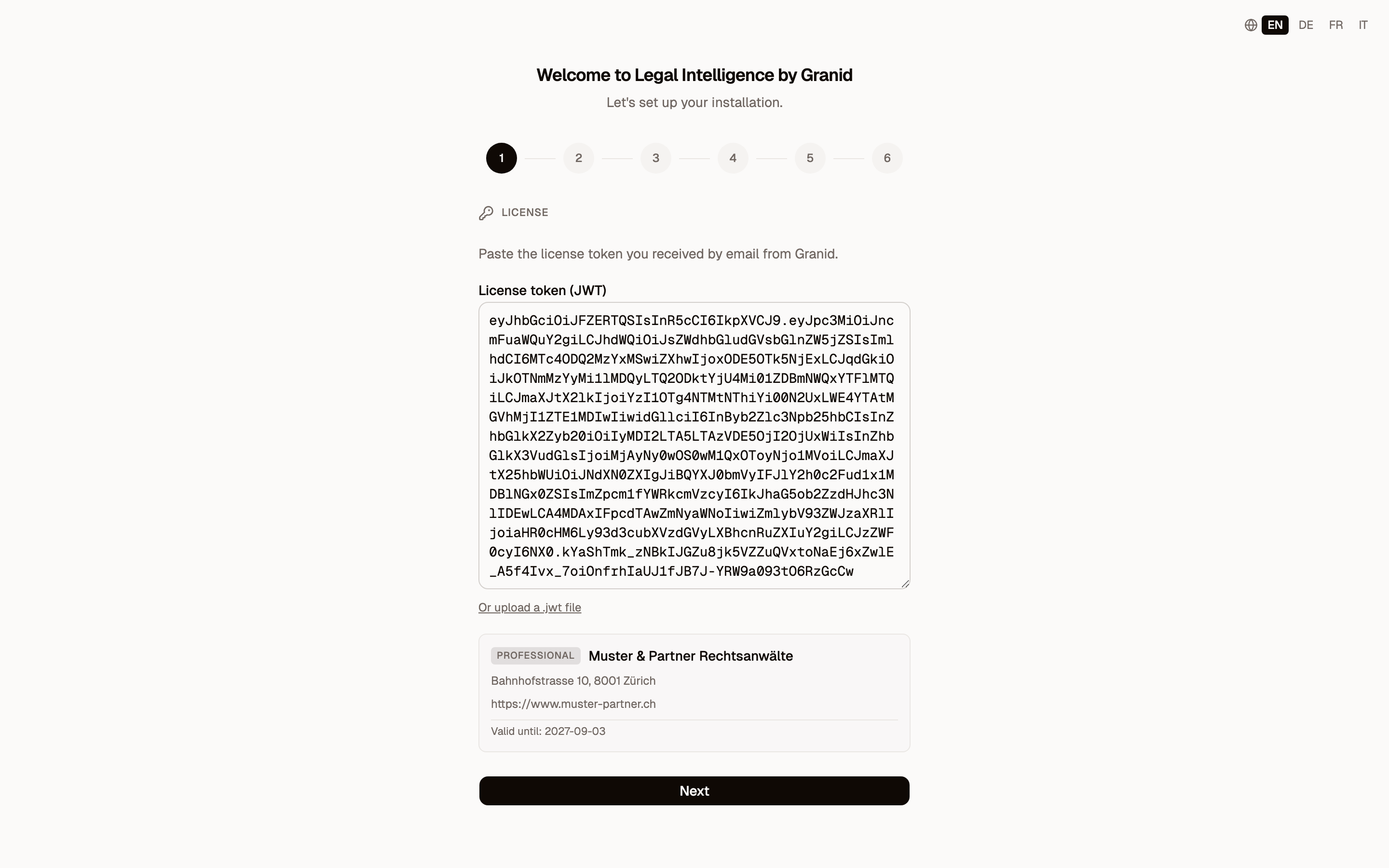
License. You paste the license token Granid sent you by email. The wizard reads it and confirms your firm's name, plan, and validity. This is the only key the product needs.
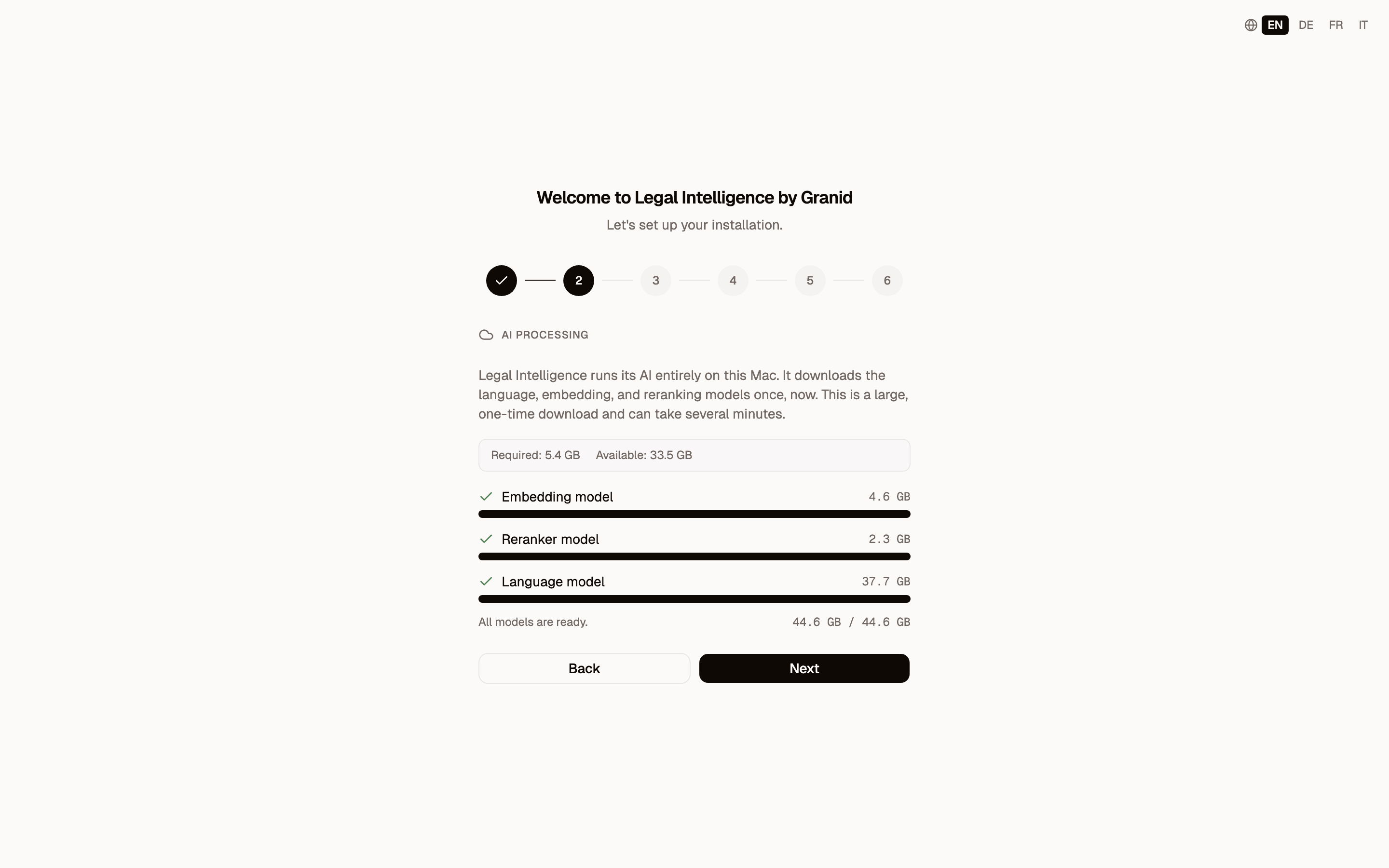
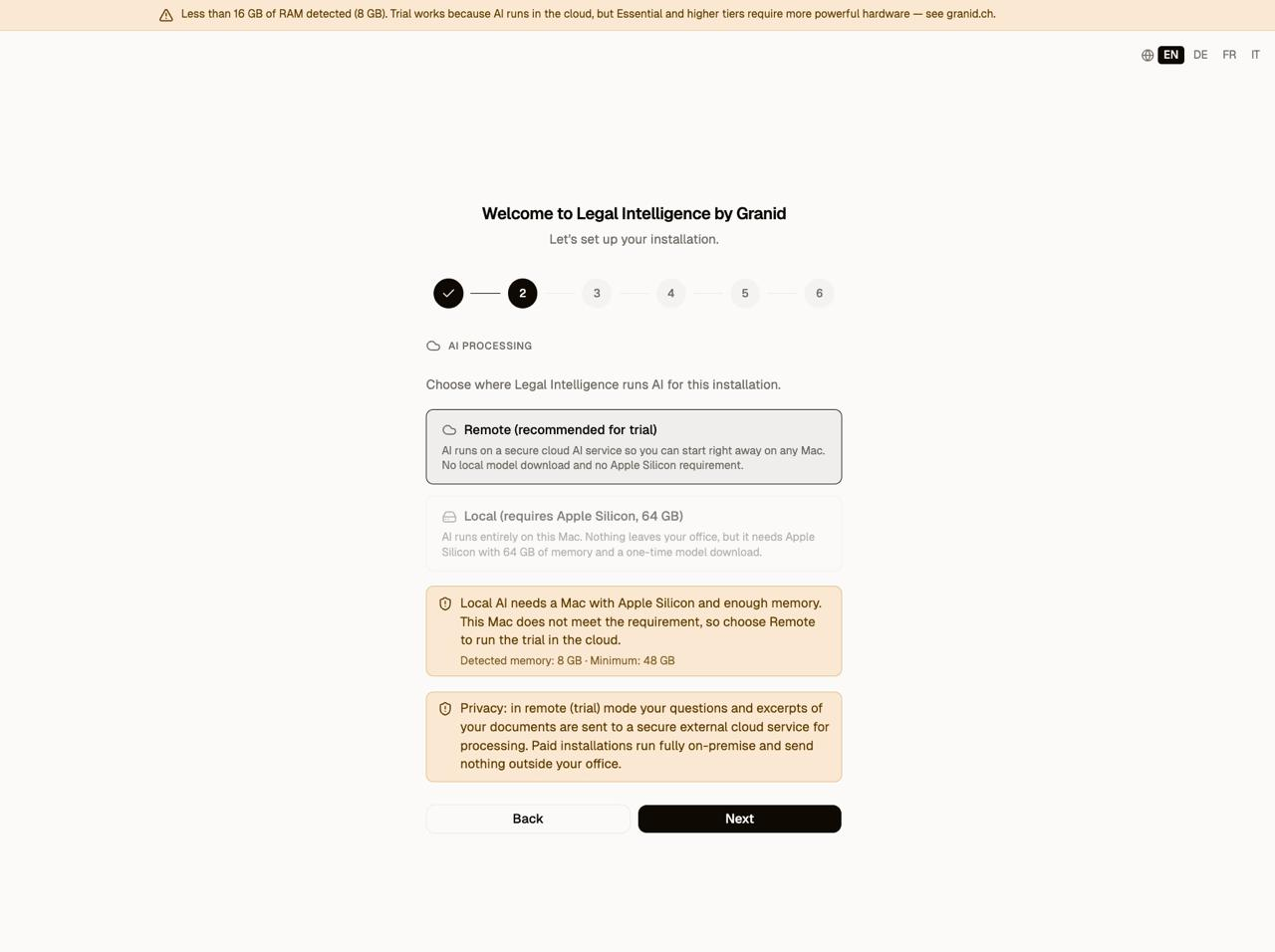
AI processing. On a properly specced office Mac, the AI runs on that machine, and the models are downloaded once, now. This is a large, one-time download (the language model, the embedding model, and the reranker). The wizard shows progress and how much disk space is involved.
The wizard also checks the machine and is honest about the trade-offs. If you are just evaluating on a trial, or on a more modest Mac that cannot run the models locally, it says so and offers a secure cloud option so you can start right away on any hardware. The choice is spelled out, including what it means for your data: a paid on-premise installation keeps everything on the Mac and sends nothing outside your office, while the trial cloud mode processes your questions and document excerpts on a secure external service. You decide with the facts in front of you.
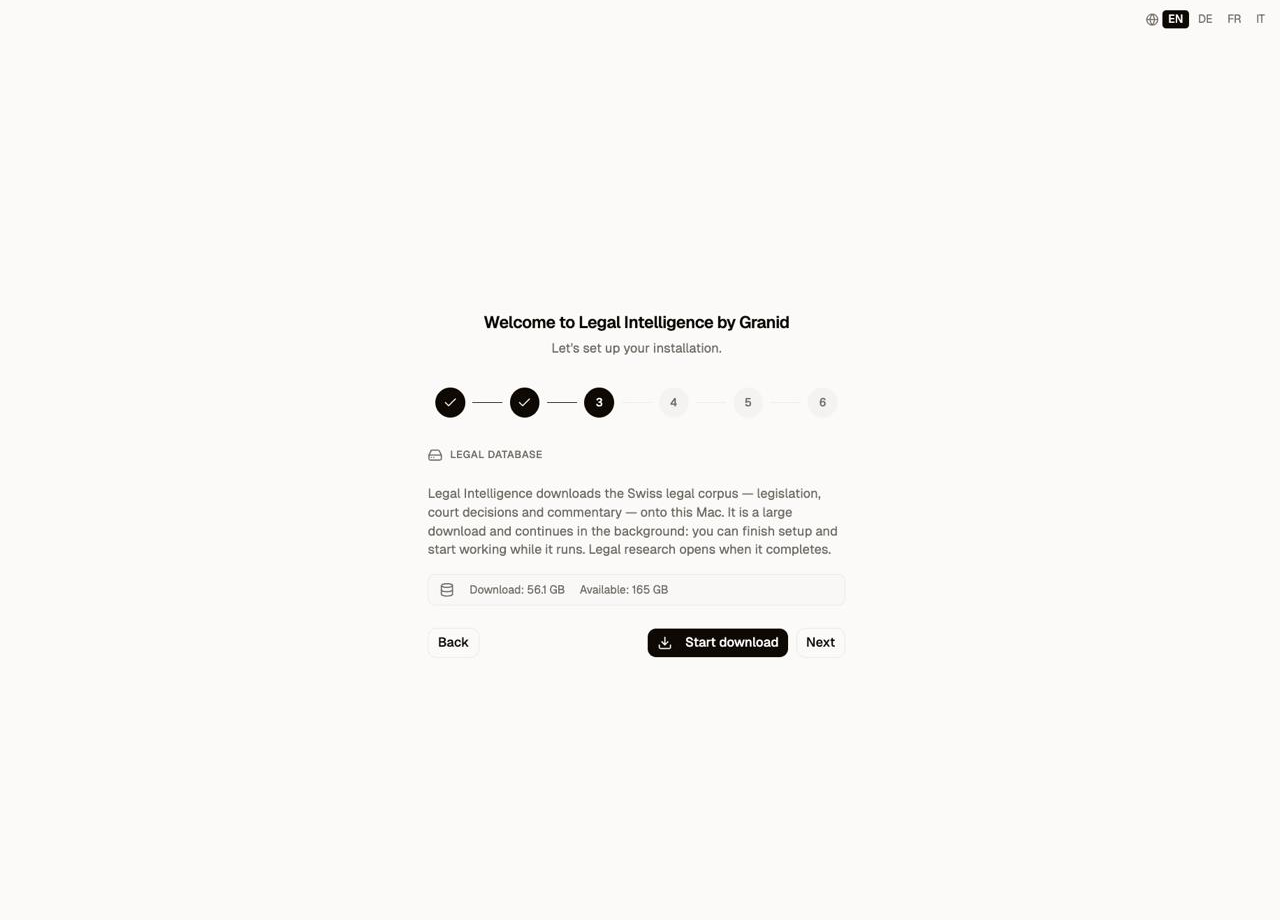
Legal database. Legal Intelligence then downloads the Swiss legal corpus onto the Mac: federal legislation, court decisions, and legal commentary. This is a large download, and the clever part is that it continues in the background. You can finish setup and start working while it fills up; legal research simply switches on the moment it is ready.
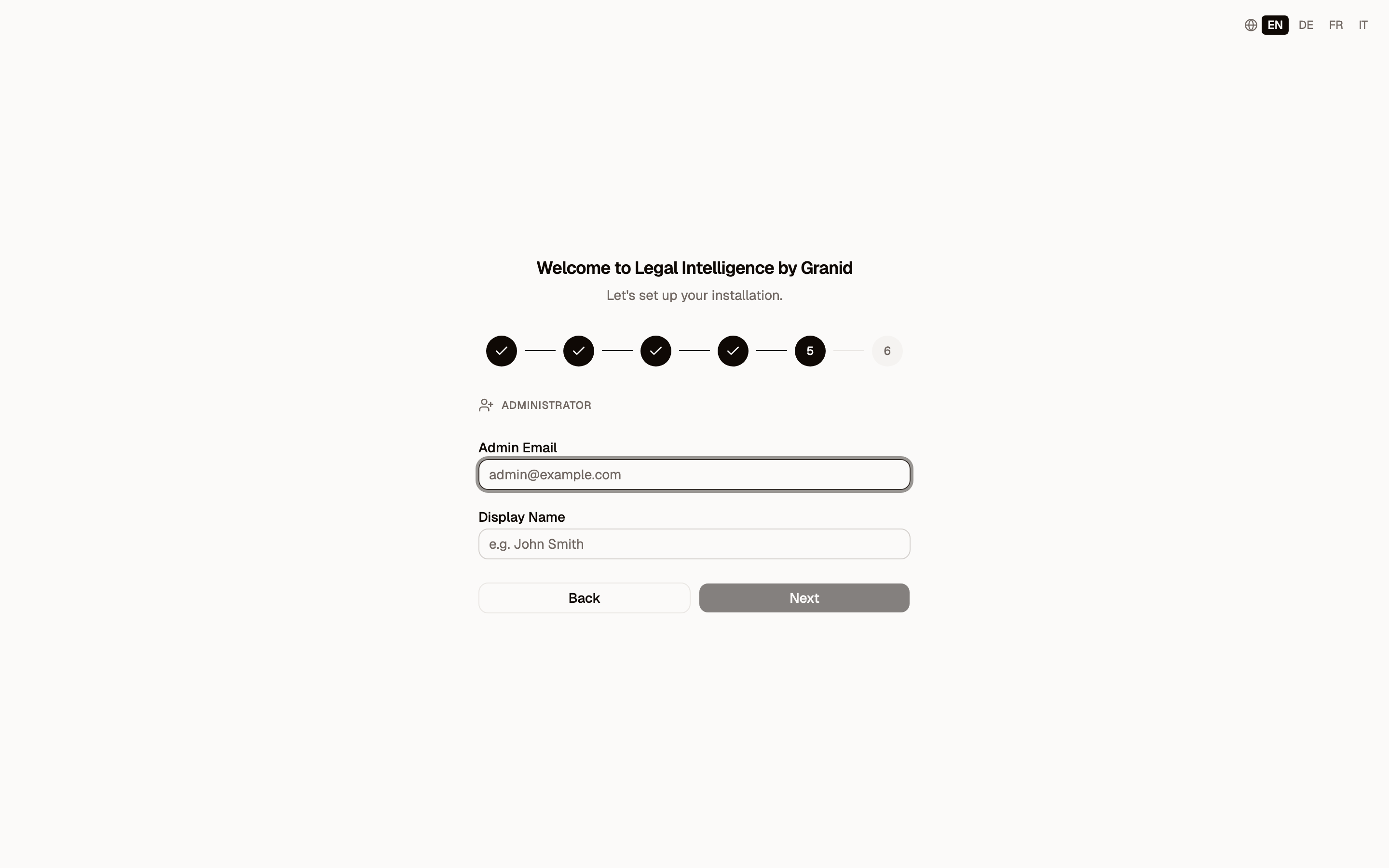
Logo and administrator. You can add your firm's logo (it appears in the header and on exported PDFs), and you create the first administrator account. On a single-seat plan the admin is also a full user; on a multi-seat plan the administrator then invites the rest of the firm.
3. Logging in
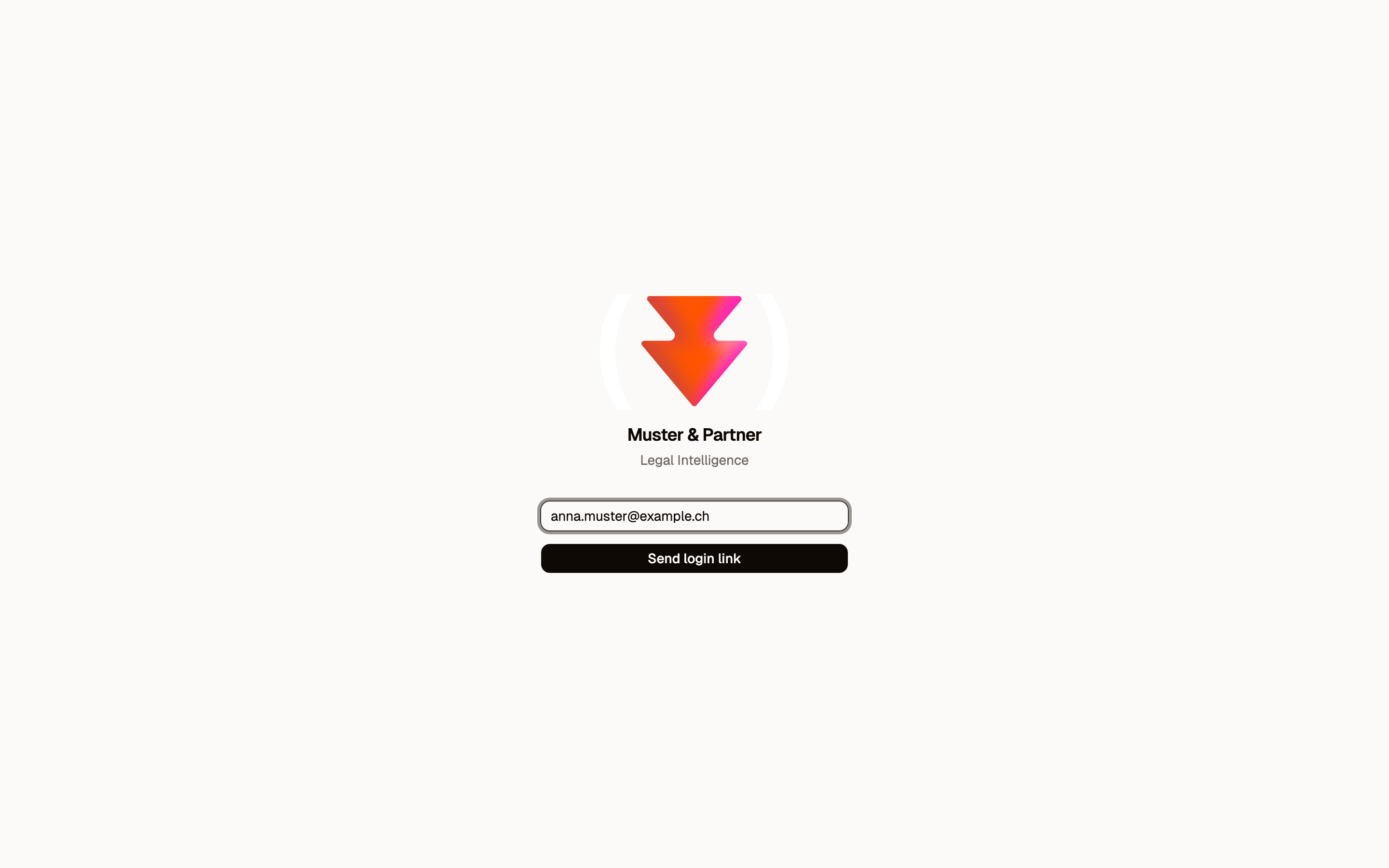
Legal Intelligence uses passwordless magic-link login. You enter your email, and a one-time login link is sent to you. There are no passwords to set, forget, or leak. Every user signs in the same way from their own browser.
4. The home dashboard
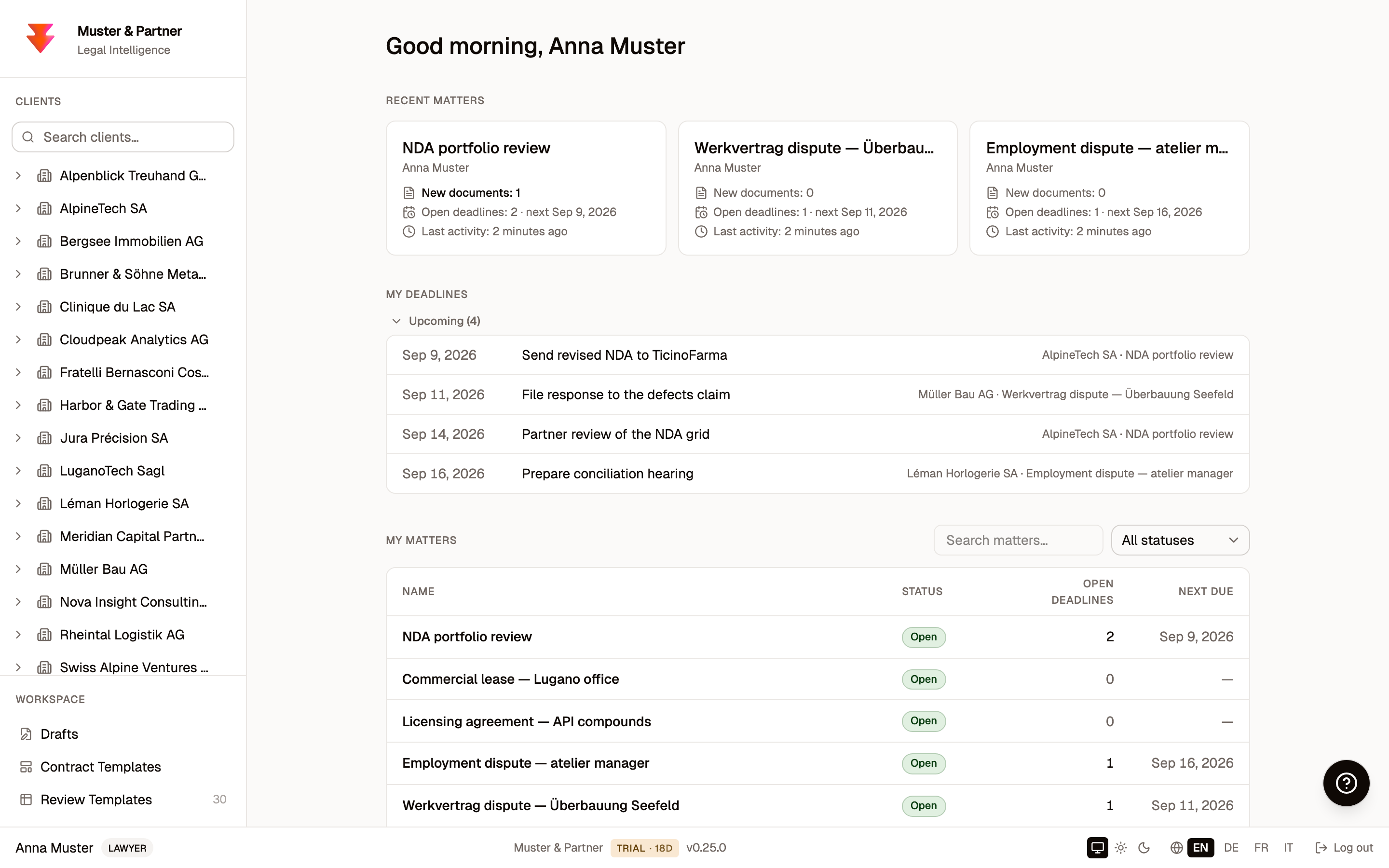
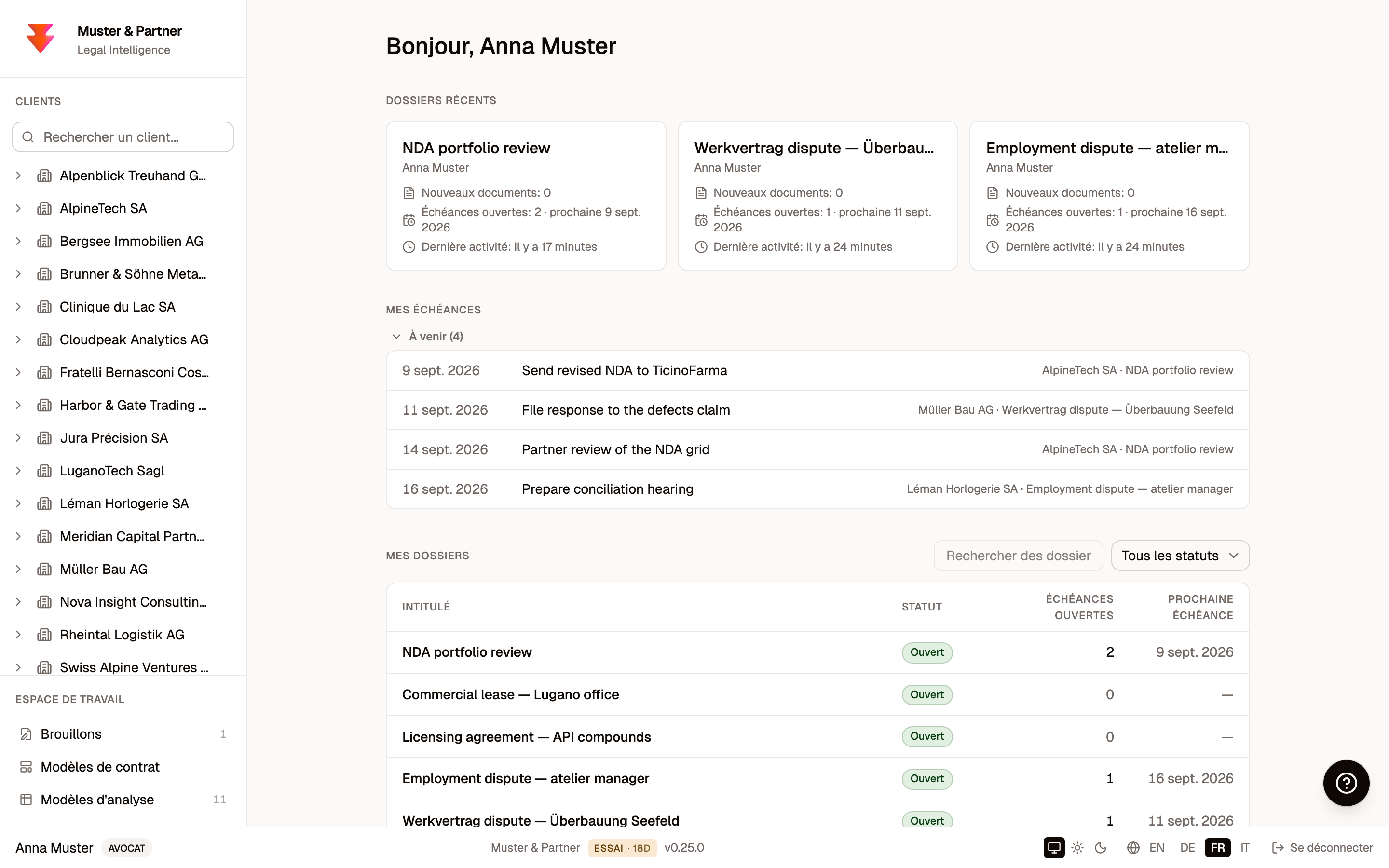
Once you are in, the home screen is built around your actual work. It greets you, shows the matters you opened most recently, lists your upcoming and overdue deadlines across every matter, and gives you a searchable table of the matters you are responsible for. The left sidebar is your firm's client list and workspace; the footer carries your plan and the language switcher.
5. Clients and matters
Your work is organised the way a firm already thinks: clients, and matters within each client.
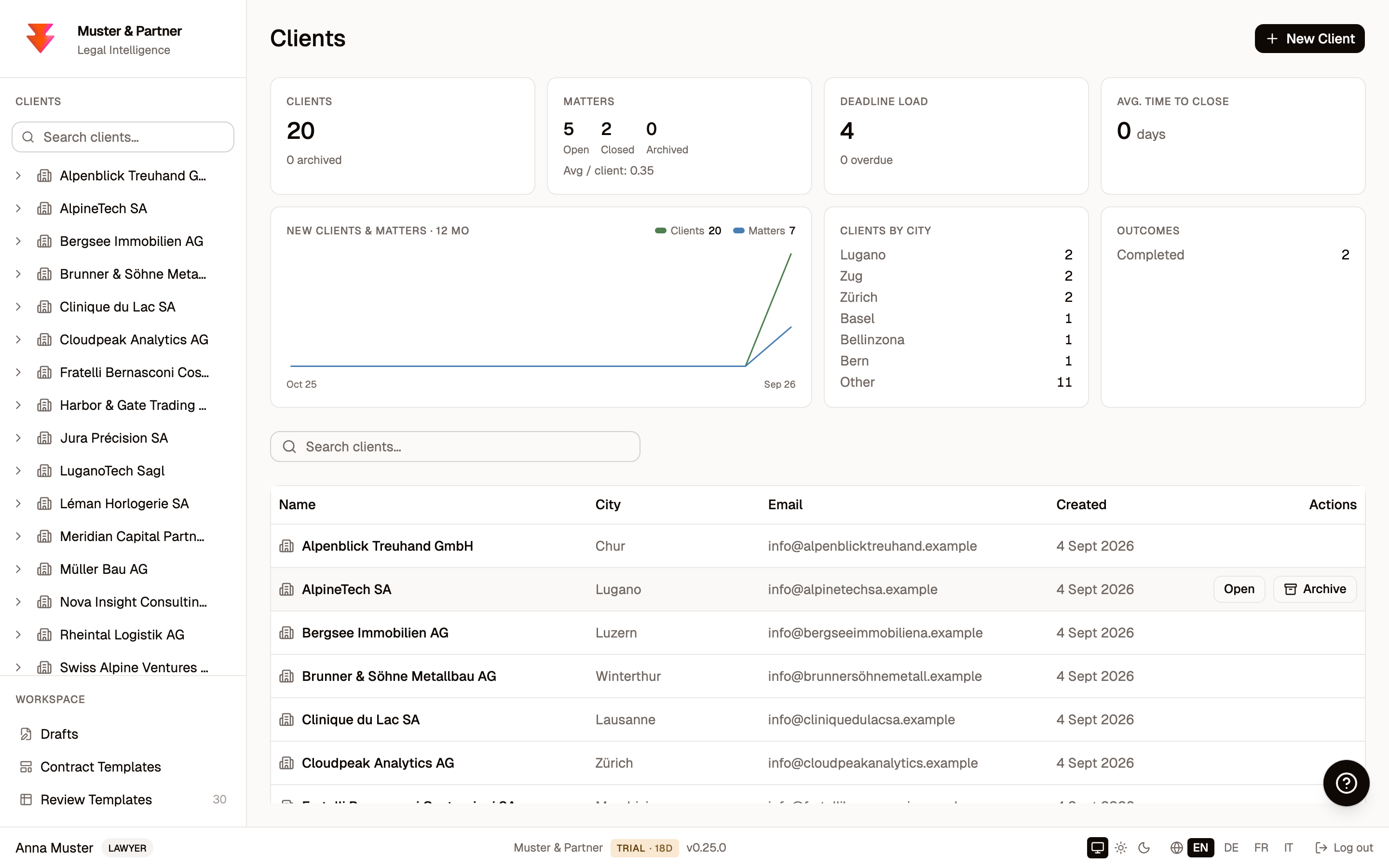
The Clients workspace gives you a firm-wide overview: how many clients and matters you have, deadline load, a twelve-month acquisition trend, a breakdown by city, and outcomes, followed by the full client directory.
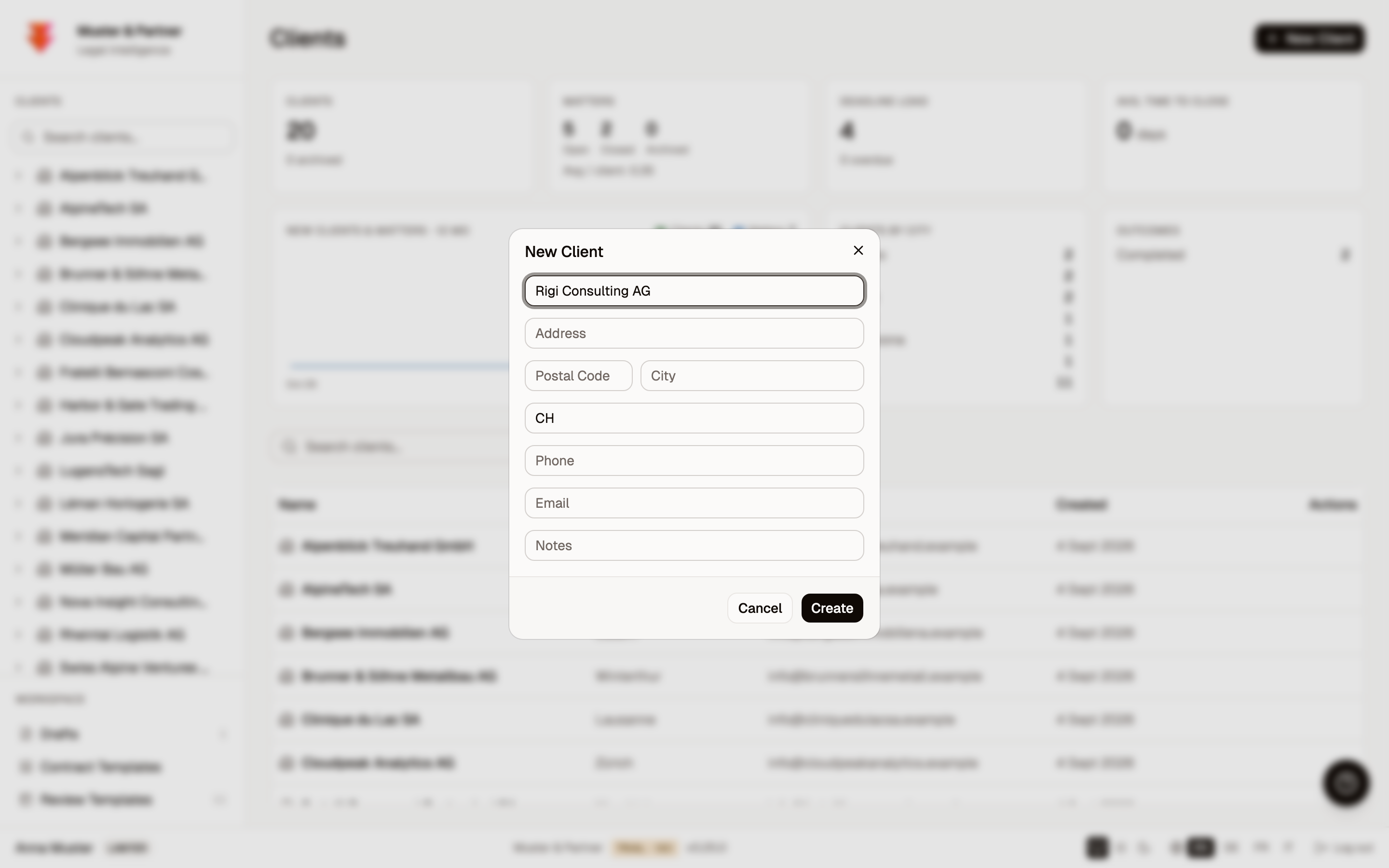
Creating a client is a single short form.
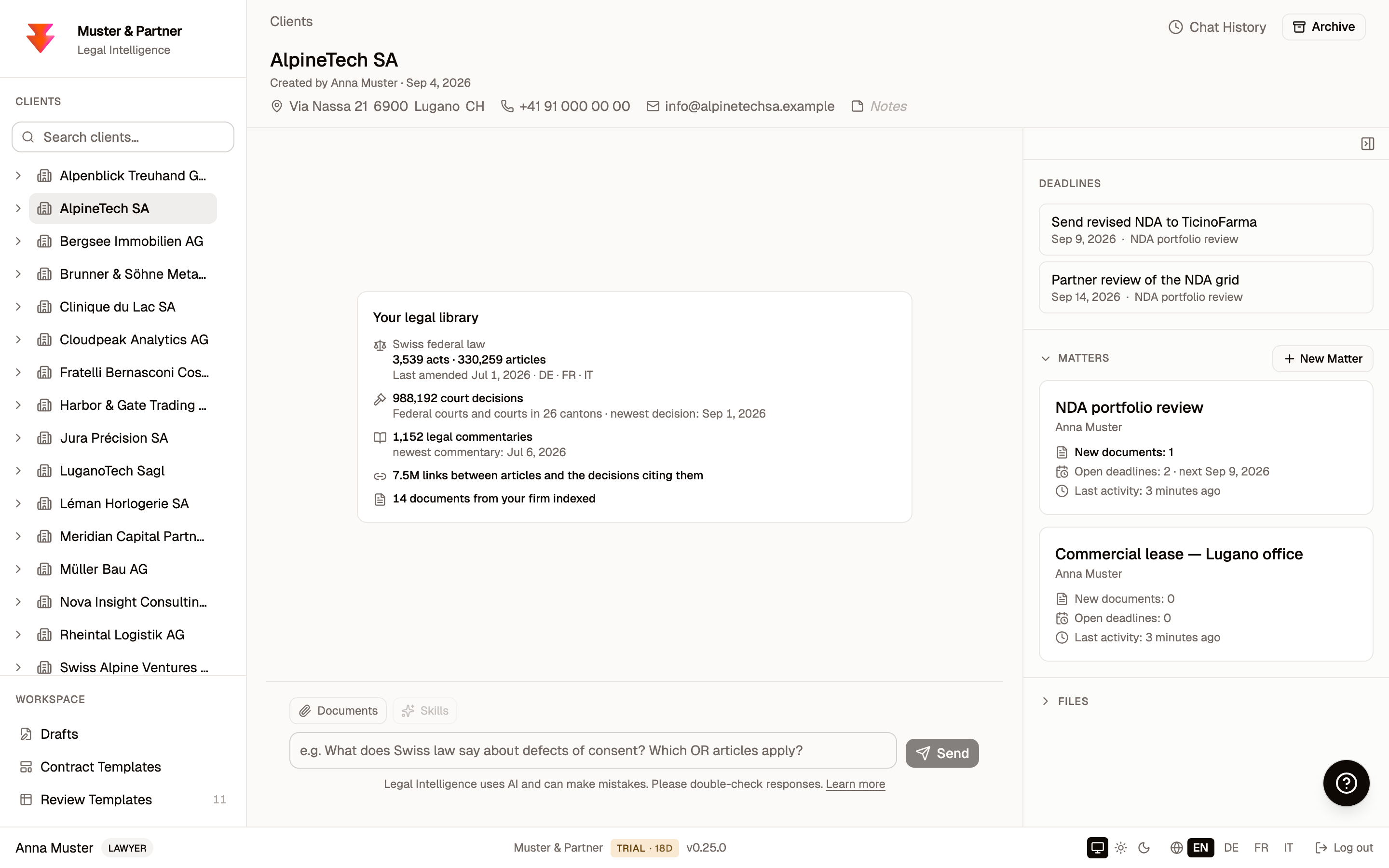
Open a client and you get a portfolio workspace: the client's contact details, a client-wide AI assistant in the centre, and a right-hand rail with deadlines, the client's matters, and files.
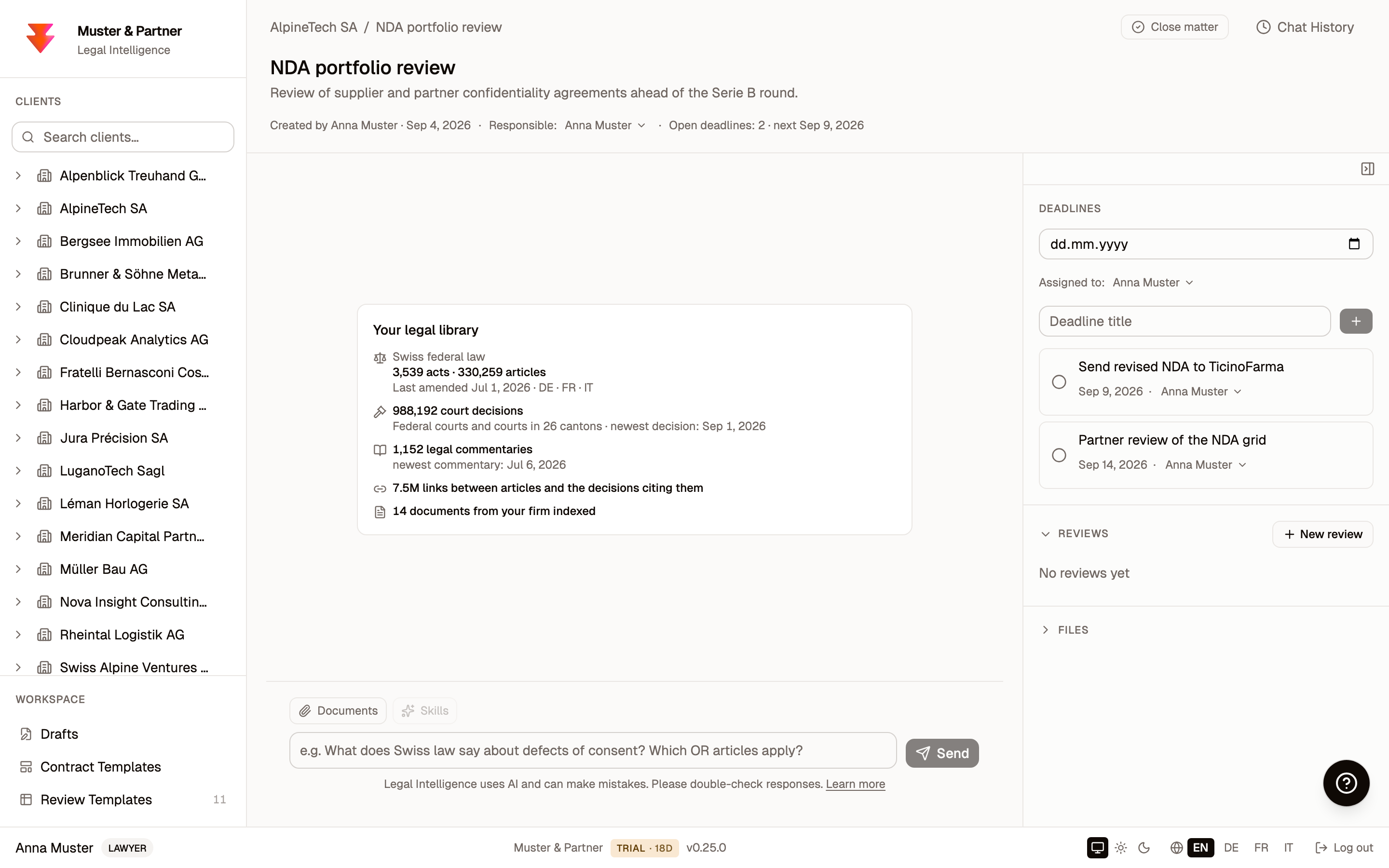
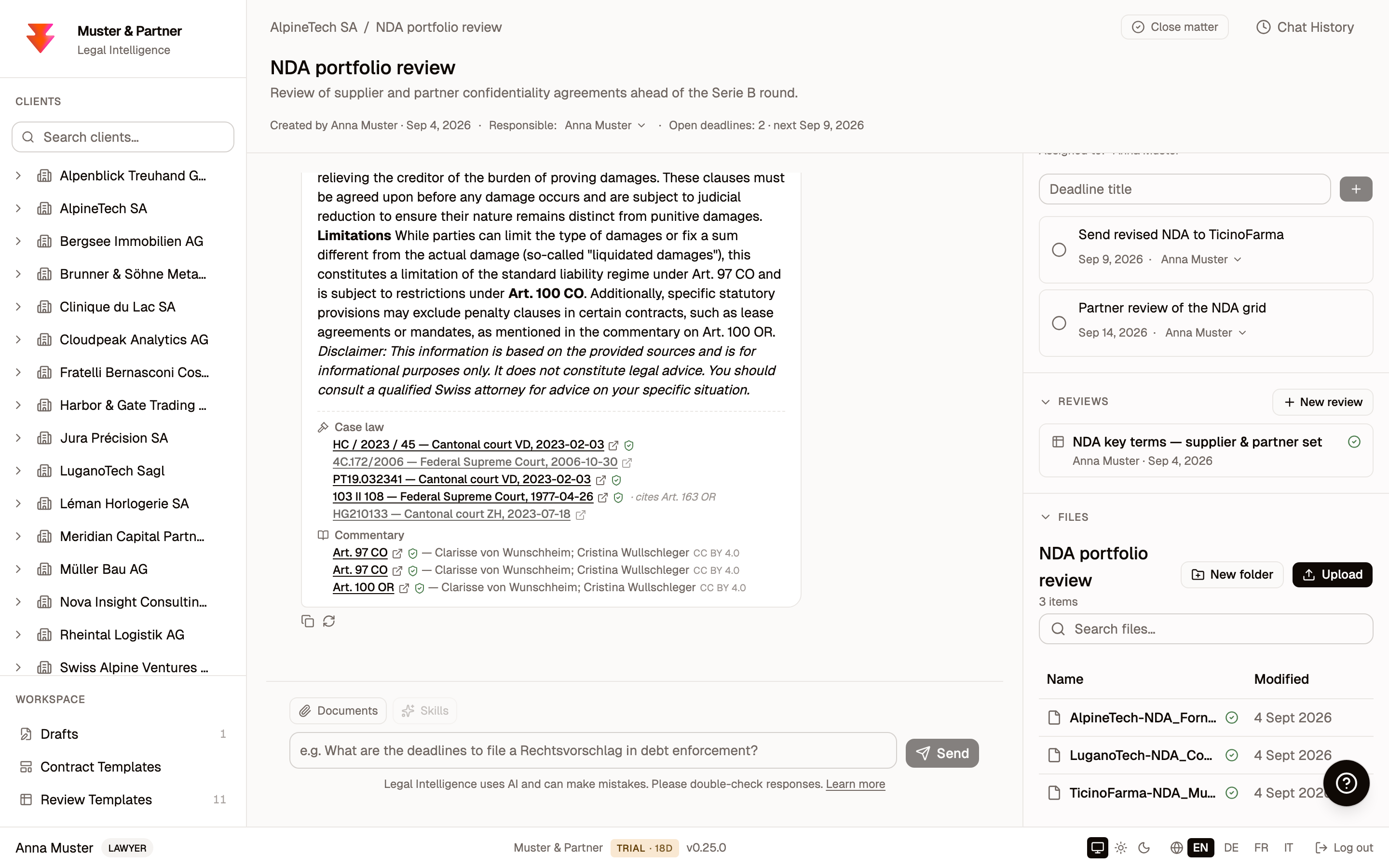
Open a matter and you get the matter workbench: the assistant takes the centre of the screen, and the right rail carries the matter's deadlines, its document reviews, and its files. This one screen is where most of the day happens.
6. Legal research
This is the heart of the product. Ask a question about Swiss law in plain language, in German, French, Italian, or English.
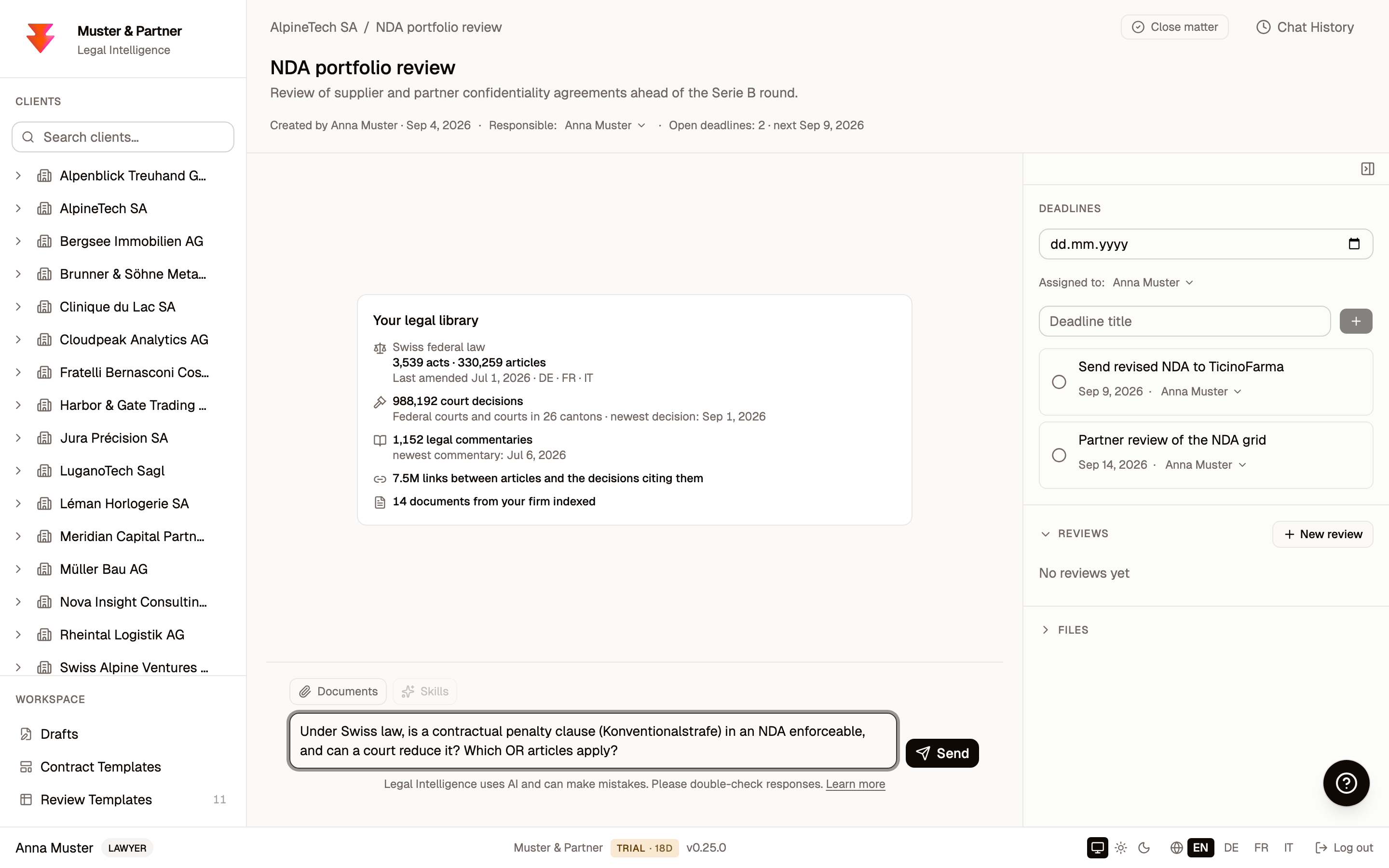
Before you send it, look at what the empty chat offers to search: the legal library on your Mac. The numbers are live and grow with every corpus release:
- 3,539 federal acts, 330,259 articles. The complete classified compilation of federal law from Fedlex, international treaties included, every act in German, French, and Italian, every article indexed individually. The "last amended" date is the official consolidation date, so you see at a glance how current the statute book is.
- Nearly a million court decisions. The Federal Supreme Court, published and unpublished, the other federal courts, and courts in all 26 cantons, dated to the newest decision in the corpus.
- 1,152 legal commentaries. Article-by-article doctrine, cited in answers with author attribution.
- 7.5 million citation links. The graph between articles and the decisions citing them, the same links behind the "cites Art. 163 OR" markers below.
- Your firm's documents. The private half of the library: counted as documents, indexed on the Mac, never leaving it.
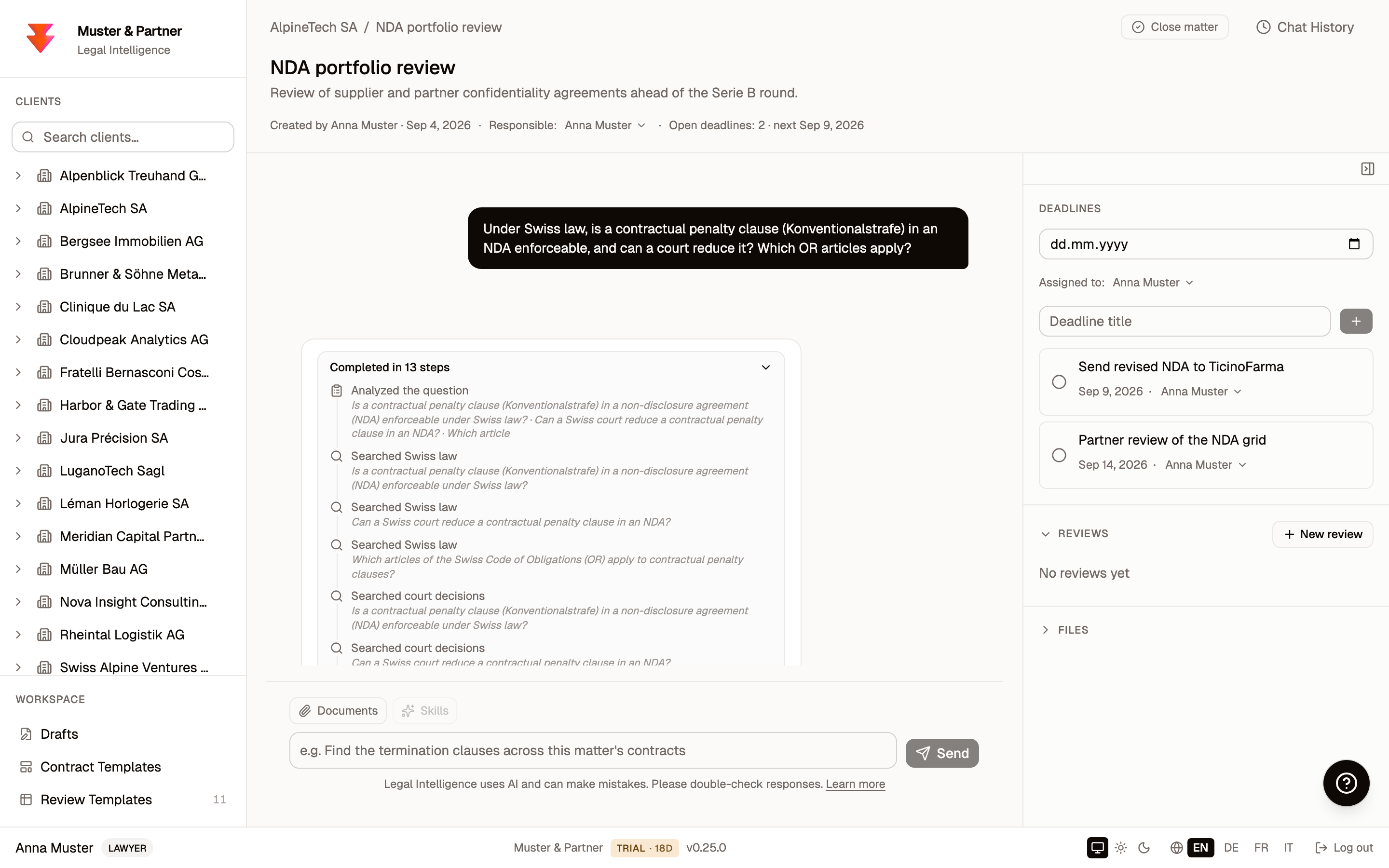
Legal Intelligence does not just paste back a paragraph. It plans the research, breaks your question into sub-questions, and searches legislation, court decisions, and commentary for each one. The step trail shows you exactly what it did, so the reasoning is transparent rather than a black box.
The answer arrives with its sources attached: the exact statutory articles, the court decisions that cite them (with official deep links you can open), and the relevant commentary with its attribution. Every citation carries a verification mark, because the system checks each one against the source rather than trusting the model's word for it. This is the difference between an AI that sounds confident and one a lawyer can actually rely on.
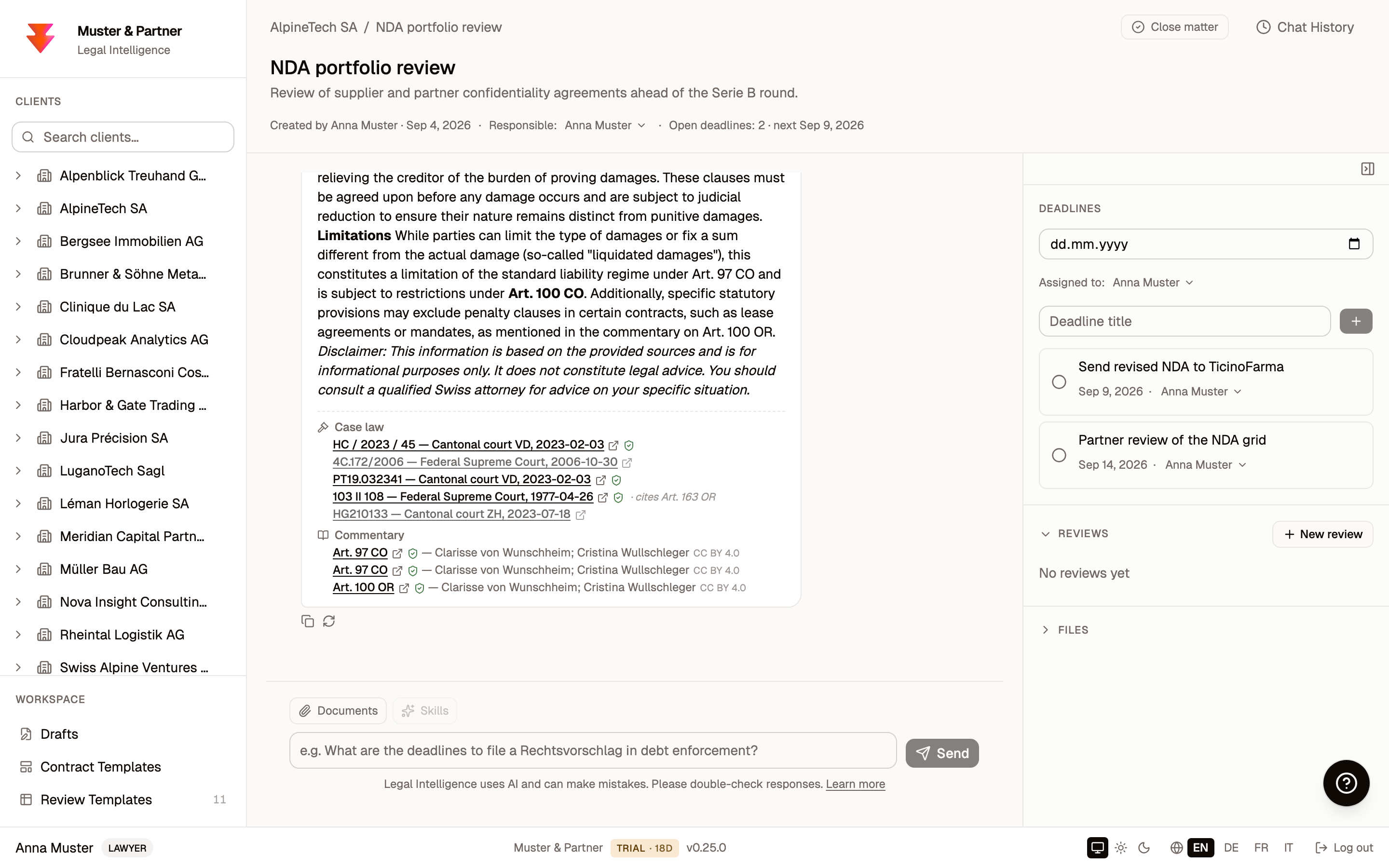
The sources panel under the answer is worth decoding, because every symbol in it means something specific:
- Sources arrive in four groups: federal law, case law, commentary, and your own documents. Each entry is a chip: click it and the source viewer opens on the exact passage the assistant used; the small arrow next to it opens the official source instead, Fedlex for statutes, the court's own website for decisions.
- The green shield's verification is deterministic, not another AI pass, so the check itself cannot hallucinate.
- A dimmed chip was consulted but not relied on. It stays visible and clickable, so you see everything that was read, not just what was used.
- A "cites Art. 163 OR" marker explains why a decision was pulled in: it cites the provision under discussion, the way a lawyer follows citations.
- And if the answer names a citation that no consulted source contains, a red banner flags it as not found in the consulted sources, and the passage is marked in the text. The wording is deliberate: the system flags, the lawyer judges. Red marks come only from the verifier; the AI cannot award itself one.
7. Bringing in your own documents
Research over Swiss law is only half the story. You also want answers about your files. Upload documents into a matter (PDF, Word, scans) and Legal Intelligence reads them, runs OCR where needed, and indexes them locally so the assistant can search and cite them. As with everything else, the files never leave the Mac.
8. Reviewing a stack of contracts at once
When you have several contracts to compare (a pile of NDAs, a set of leases, a batch of employment agreements), Tabular Review turns them into a spreadsheet. You define the columns you care about (the parties, the term, the penalty clause, the governing law), and Legal Intelligence fills in a row for every document at once. And you do not have to start from a blank grid: built-in review templates cover the common cases, from NDAs and commercial leases to credit agreements, share purchase agreements, and e-discovery review.
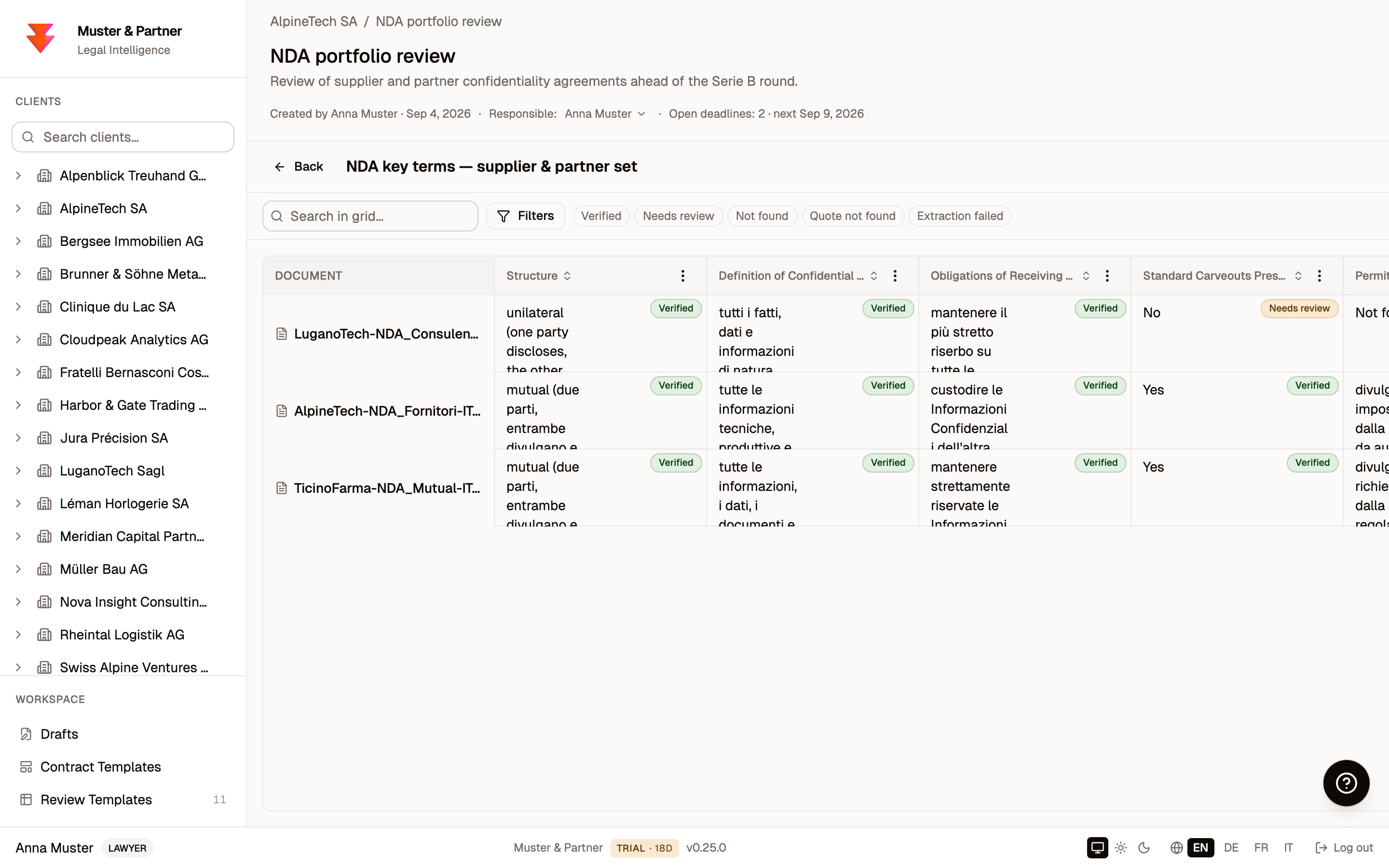
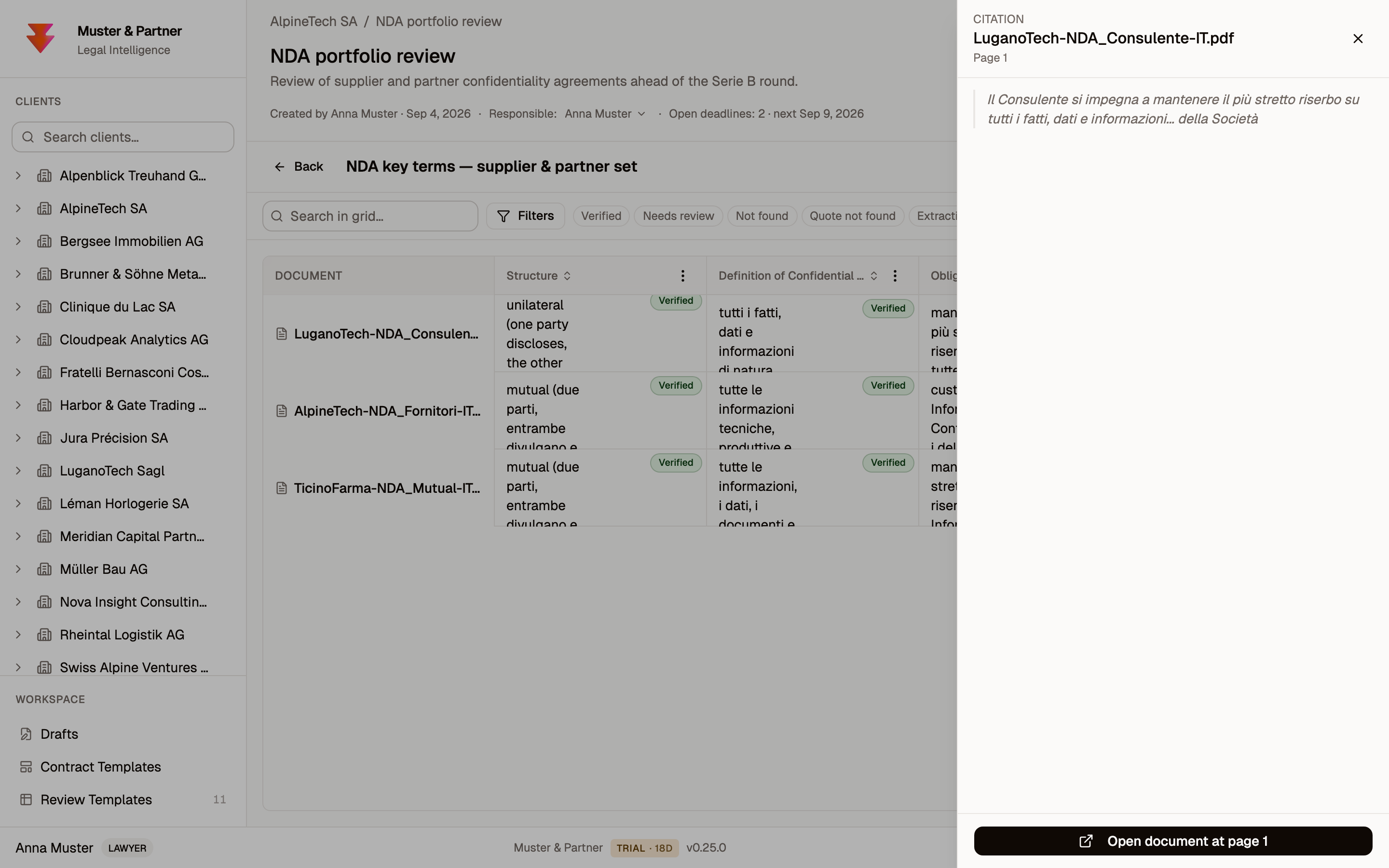
Every extracted value is grounded. Click any cell and it shows you the exact quote and page it came from, so you can verify the answer in seconds instead of re-reading the contract.
9. Drafting a contract
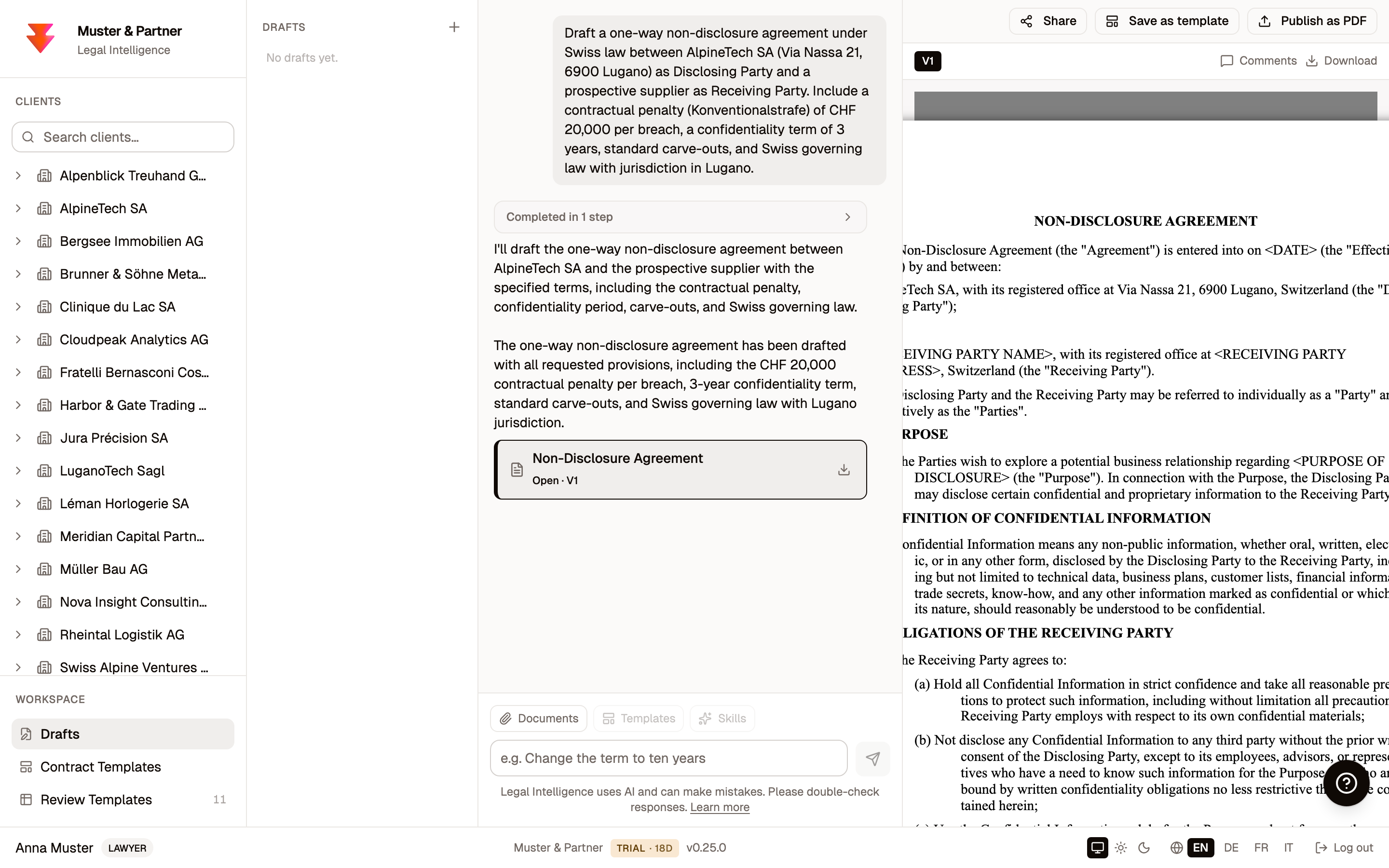
The drafting workspace turns a plain-language brief into a working document. Describe what you need (here, a one-way NDA under Swiss law with a specific penalty clause and term) and choose the language.
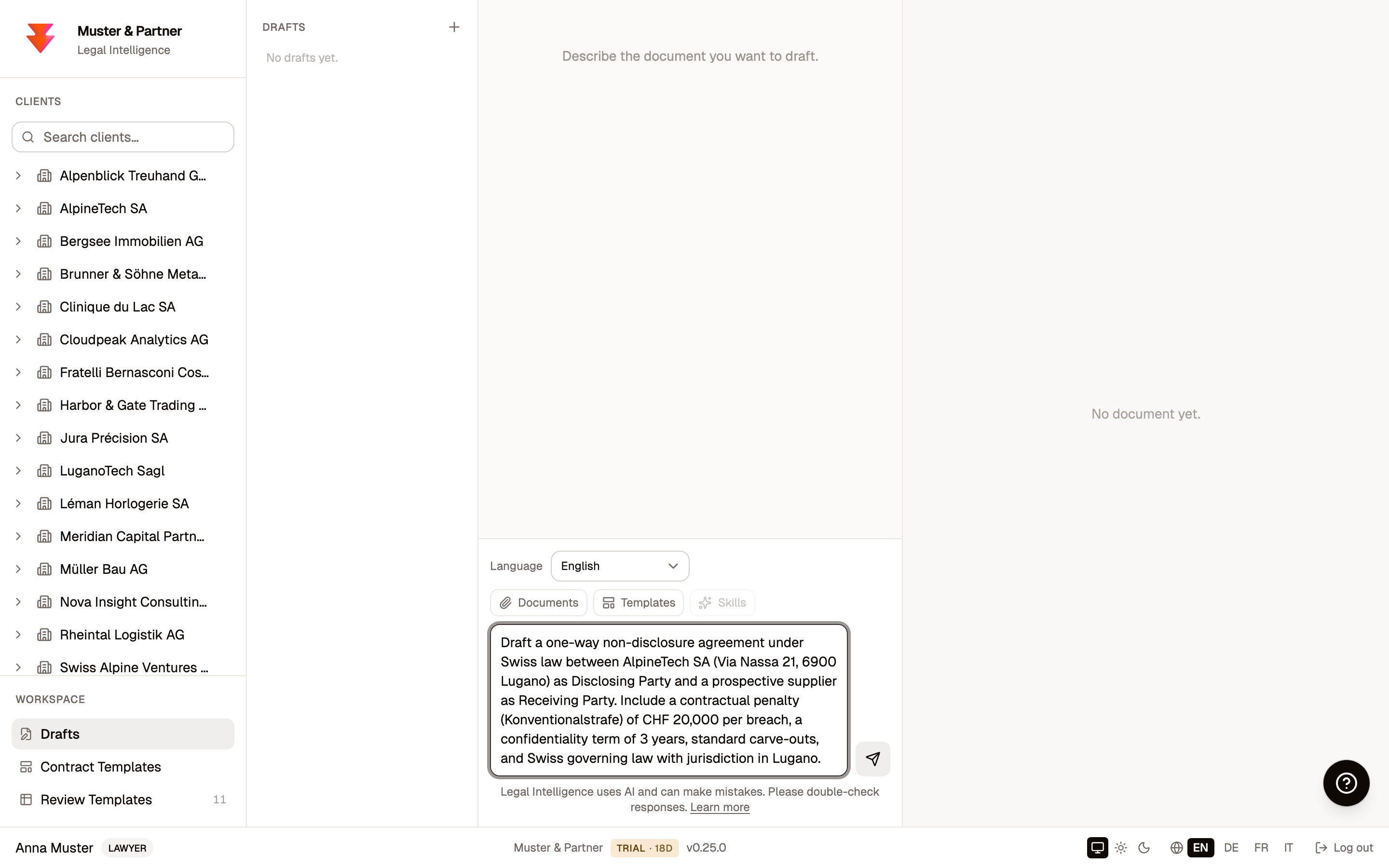
Legal Intelligence produces a full, structured draft on the right, ready to read and refine.
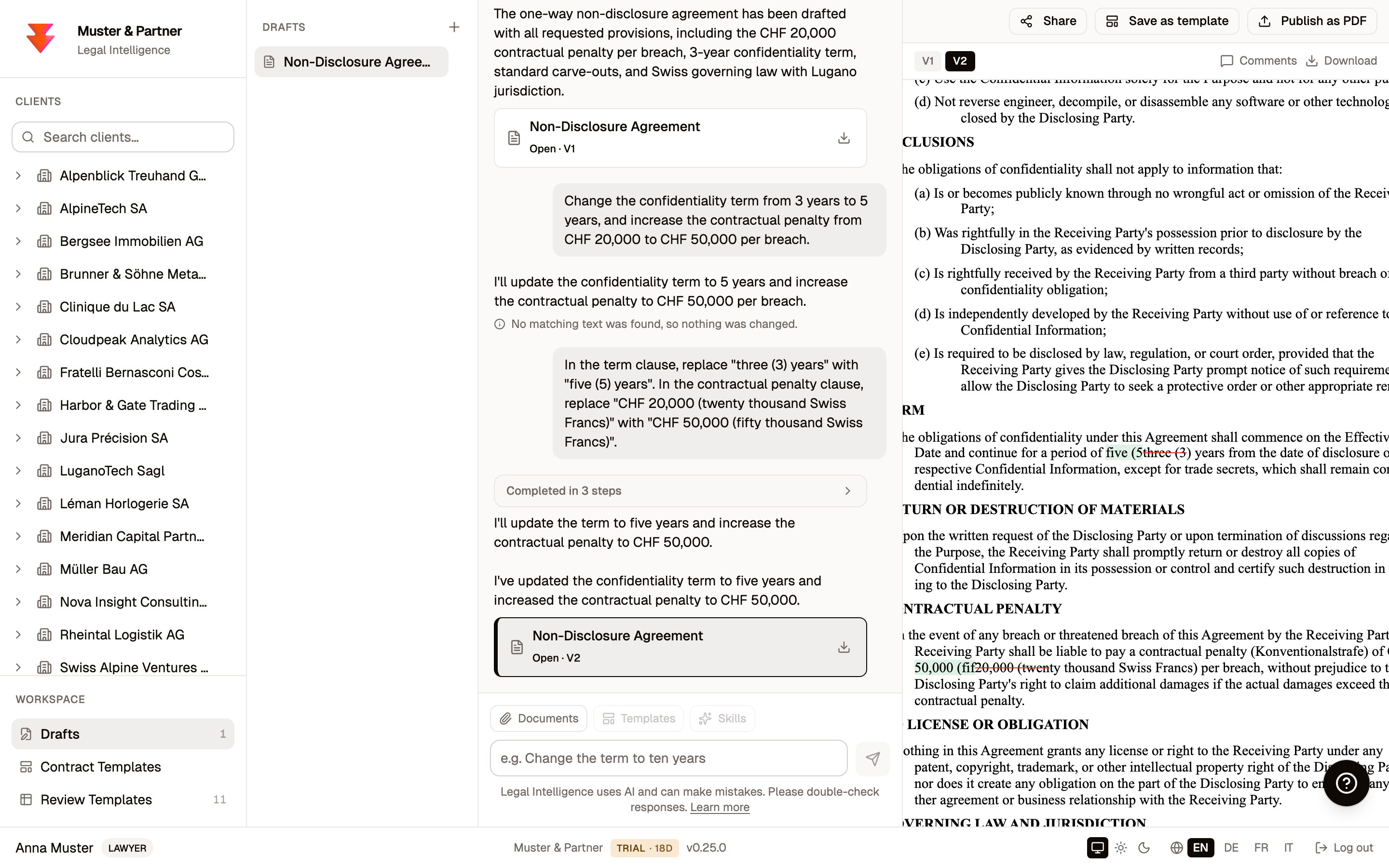
The refinement is where it earns its place. Ask for a change in plain language, naming the exact text you want replaced, and the edit comes back as tracked changes, exactly as a colleague's redline would, so you can see precisely what moved before you accept it. When you are happy, publish it to PDF into the matter.
10. Getting help
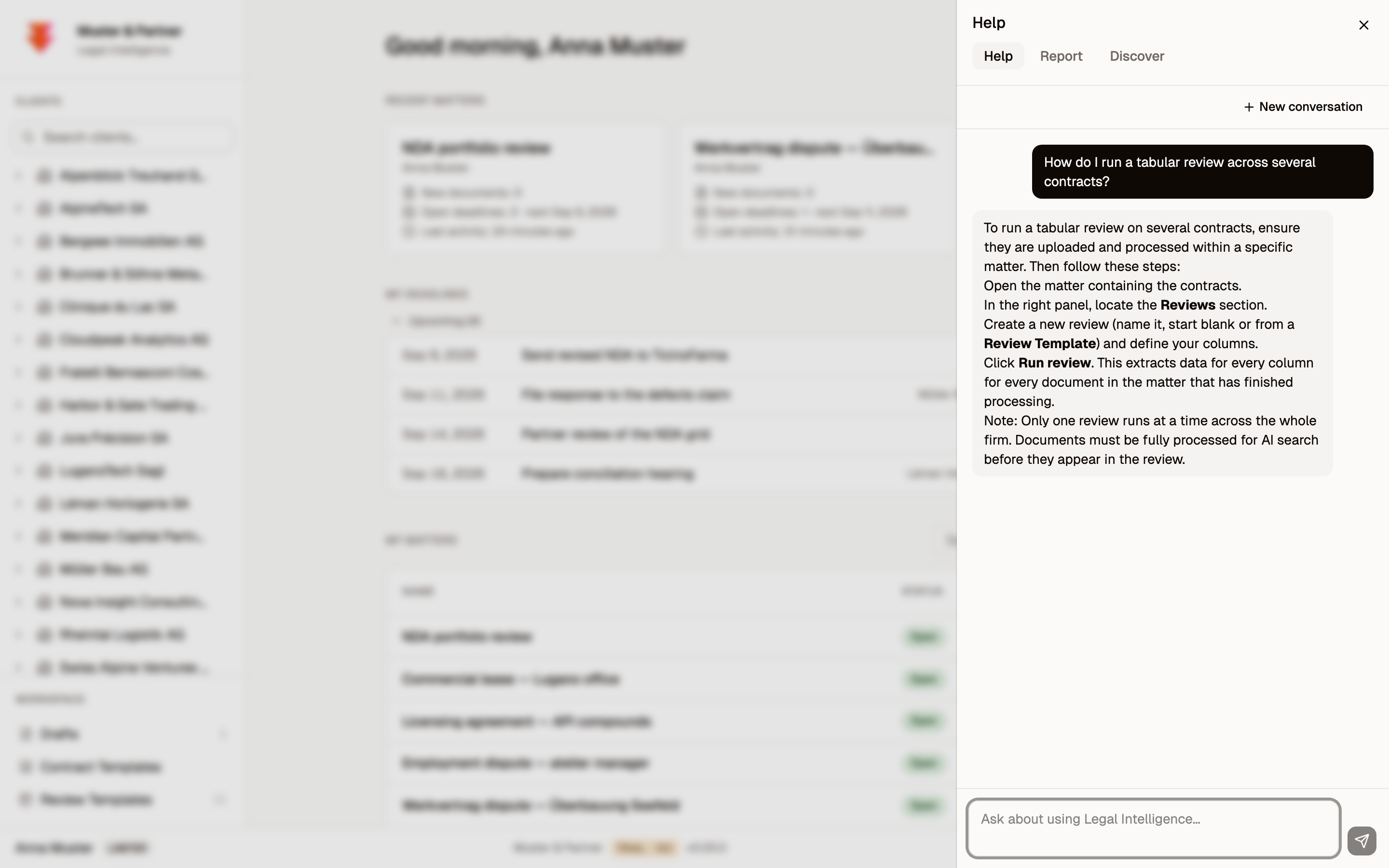
There is an in-app Help assistant on every screen (the button in the bottom-right corner). Ask it how to do something and it answers from the product manual. It is the fastest way to learn a feature without leaving your work.
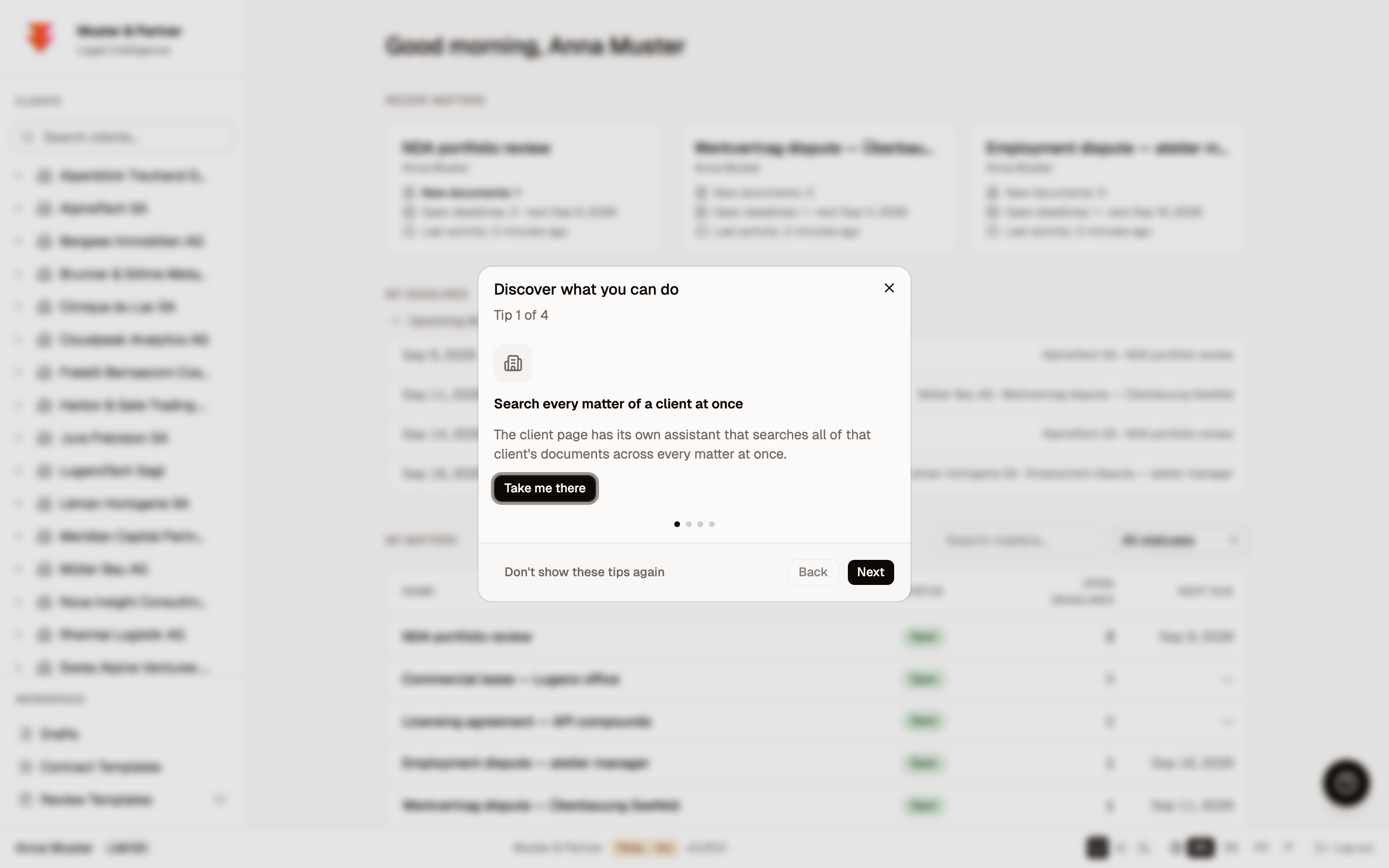
You will also see occasional product tips that point out capabilities you might have missed.
One product, four languages
Switzerland is trilingual, and so is Legal Intelligence. The entire interface, and the assistant, speak German, French, Italian, and English. Each person picks their own language from the footer; the same firm, the same data, in whichever language each lawyer prefers.
That is your first hour
From a blank Mac you now have a running installation, your clients and matters, researched answers with verifiable citations, a reviewed stack of contracts, and a drafted agreement, all without a single byte leaving your office.
You are on the Early Access Program because we want your judgement. Tell us what felt slow, what you wish it did, and where an answer fell short. The simplest way to reach us is to reply to your onboarding email, and you can also use the in-app Report tab next to Help. What you tell us in the coming weeks is what the product becomes.
Legal Intelligence uses AI and can make mistakes. It is built to help you work faster and check its own sources, but the lawyer always stays in the loop. Please double-check what matters.
A test kit for your own first hour
You do not need client files. The documents below are entirely fictional, and safe to upload anywhere, including a trial in the secure cloud mode.
Ten NDAs for a review stack
The set from the walkthrough itself: AlpineTech, TicinoFarma, and LuganoTech from the Tabular Review figures. Ten Italian agreements in one-way, mutual, three-party, and multilateral structures. Upload a few into a matter, build the grid from section 8, and ask about them in any language.
Download the NDA test set (ZIP, ten PDFs, 45 KB)
Column ideas: structure, definition of confidential information, obligations of the receiving party, carve-outs, penalty clause, term, governing law. Or skip the setup and pick the built-in NDA review template.
Four scanned pages for the OCR path
Contracts as they actually reach a firm: skewed, noisy scans. Upload them and Legal Intelligence runs OCR and indexes them like any other document. The German and French pages each contain a penalty clause; the two Italian scans are the TicinoFarma NDA from the set, one cleaner and one rough, so you can compare them with the born-digital file.
- Confidentiality agreement, German, rough scan (PDF, 0.4 MB)
- Confidentiality agreement, French, rough scan (PDF, 0.4 MB)
- Mutual NDA, Italian, rough scan (PDF, 0.9 MB)
- Mutual NDA, Italian, cleaner scan (PDF, 1 MB)
The prompts we used
Copy them as they are, or adapt them. The research question from section 6:
Under Swiss law, is a contractual penalty clause (Konventionalstrafe) in an NDA enforceable, and can a court reduce it? Which OR articles apply?The drafting brief from section 9:
Draft a one-way non-disclosure agreement under Swiss law between AlpineTech SA (Via Nassa 21, 6900 Lugano) as Disclosing Party and a prospective supplier as Receiving Party. Include a contractual penalty (Konventionalstrafe) of CHF 20,000 per breach, a confidentiality term of 3 years, standard carve-outs, and Swiss governing law with jurisdiction in Lugano.And the edit that came back as tracked changes. Naming the exact text to replace works best:
In the term clause, replace "three (3) years" with "five (5) years". In the contractual penalty clause, replace "CHF 20,000 (twenty thousand Swiss Francs)" with "CHF 50,000 (fifty thousand Swiss Francs)".More research questions to try
Twelve questions from our demo script. Ask them in English, German, French, or Italian; the assistant answers in the language of the question.
Multi-source research. Statute, case law, and commentary in one cited and verified answer:
What does the Swiss Code of Obligations say about defects in consent, and how has the Federal Supreme Court ruled on them?What does Art. 265a SchKG provide on the debtor's objection of no return to better fortune, and how have the courts applied it?To what extent is a clause excluding liability valid under Art. 100 CO?Exact citations, never paraphrased. Verbatim text with the official links:
What does Art. 67 SchKG provide?Summarize BGE 121 III 358.Quote the exact text of Art. 23 CO.Case-law research. The statute, plus the decisions that cite it:
What does Art. 82 SchKG provide on the provisional dismissal of the objection, and how has the Federal Supreme Court interpreted it?When is an attachment (Arrest) permitted under the SchKG?How have courts decided on the termination of a residential lease for the landlord's own use?Doctrine. Commentary with author attribution:
What does legal commentary say about Art. 41 CO?The trust demo. The invented decision below is flagged in red as not found in the sources; the genuine citations keep their verified marks:
Is BGE 999 IV 999 relevant to tenant protection in case of defects of the rented apartment?Ask your own documents. Needs a document in the matter; try it on the NDAs from the set above:
What does the contract provide on duration and termination?